Intercom Private App
Connecting your Intercom account to Rebo AI enables you to:
- Pull all your conversations from intercom to Rebo AI
- Answer directly on Rebo AI
Steps
Follow these simple steps to connect your Intercom account to Rebo AI.
1. Connect to Your Intercom Account
Log in to your Intercom account to get started.
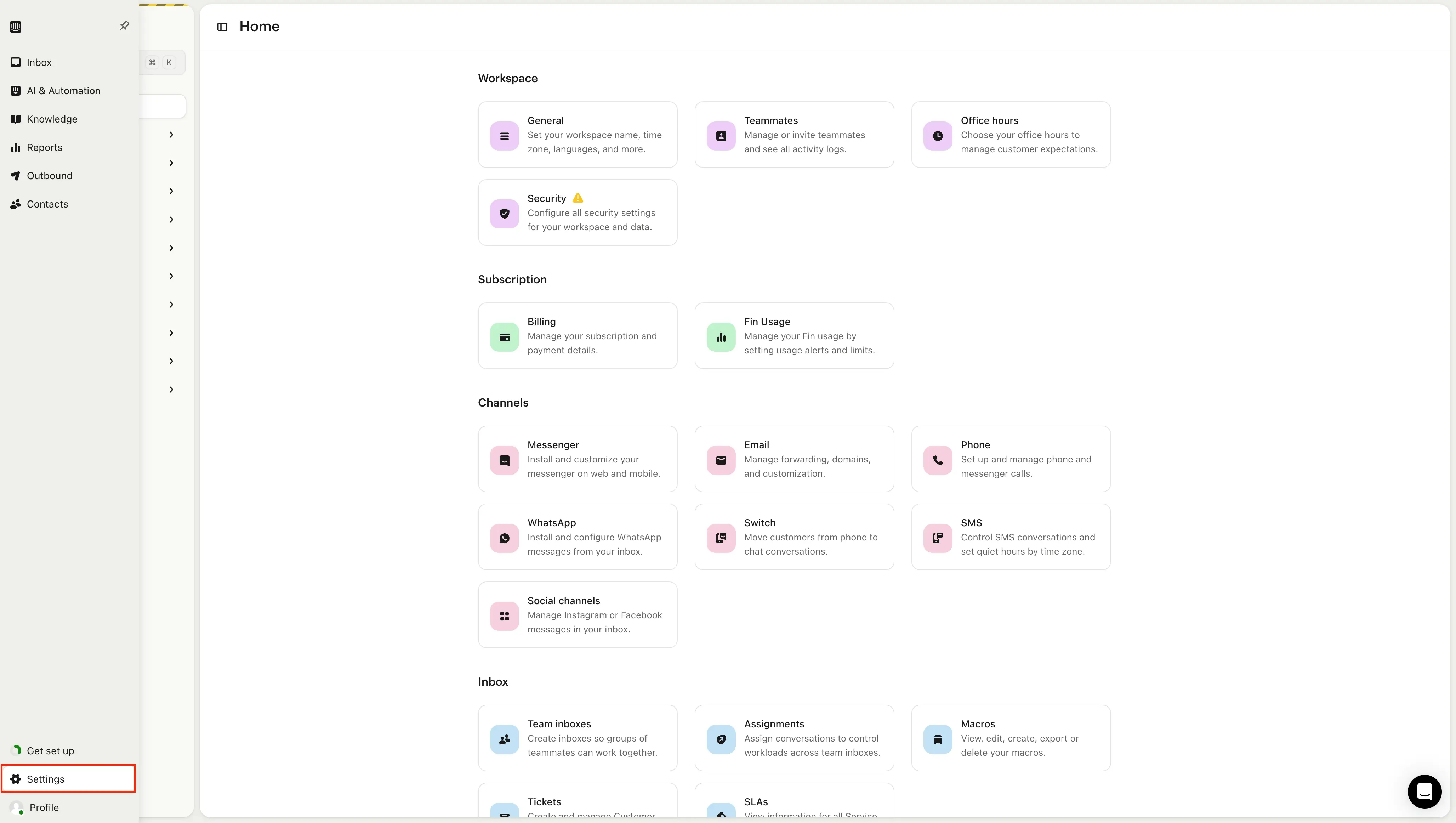
2. Go to Settings
Click on the Settings icon in the left-hand menu.
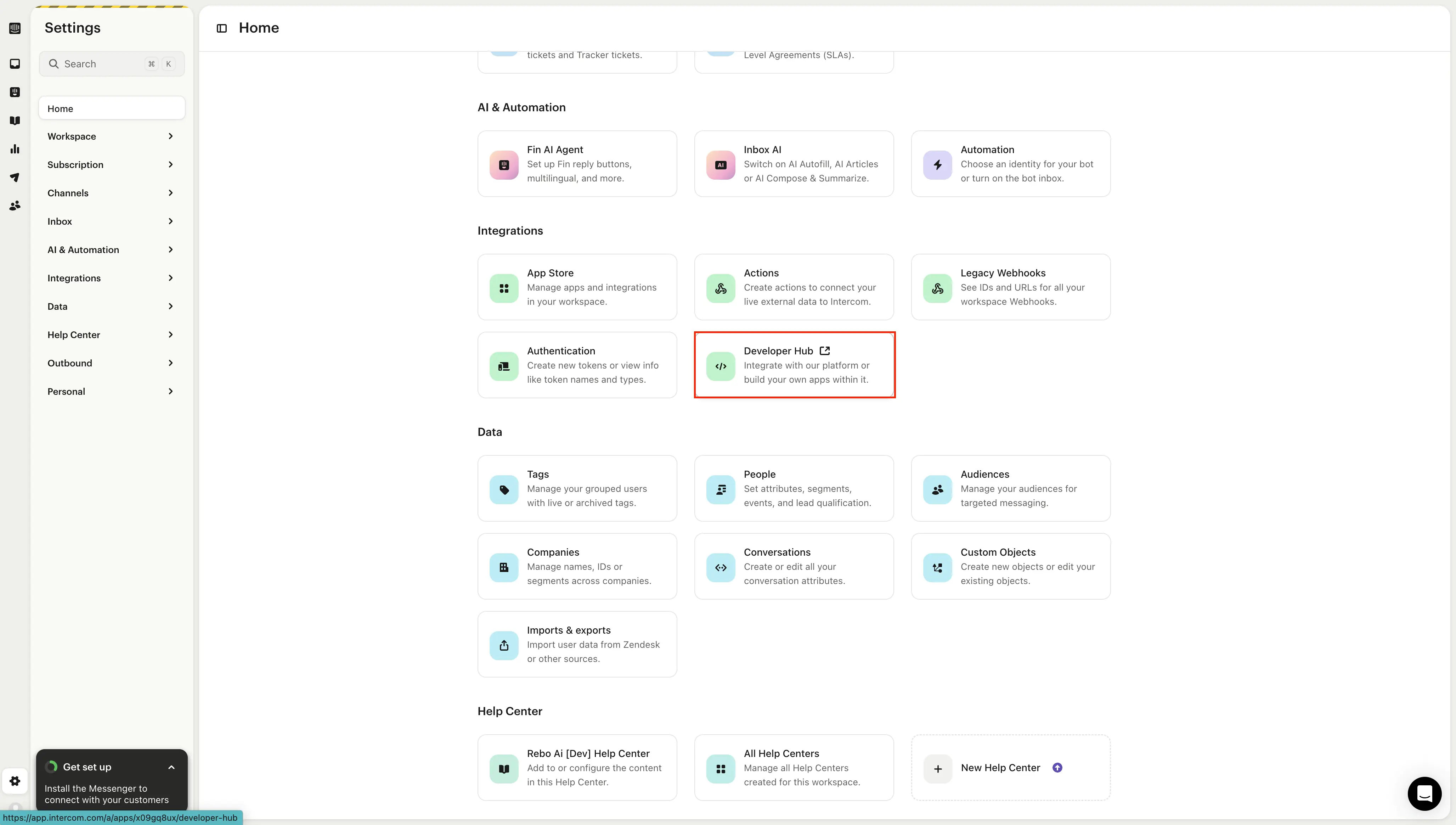
3. Navigate to Developer Hub
In the Settings menu, locate and select the Developer Hub section.
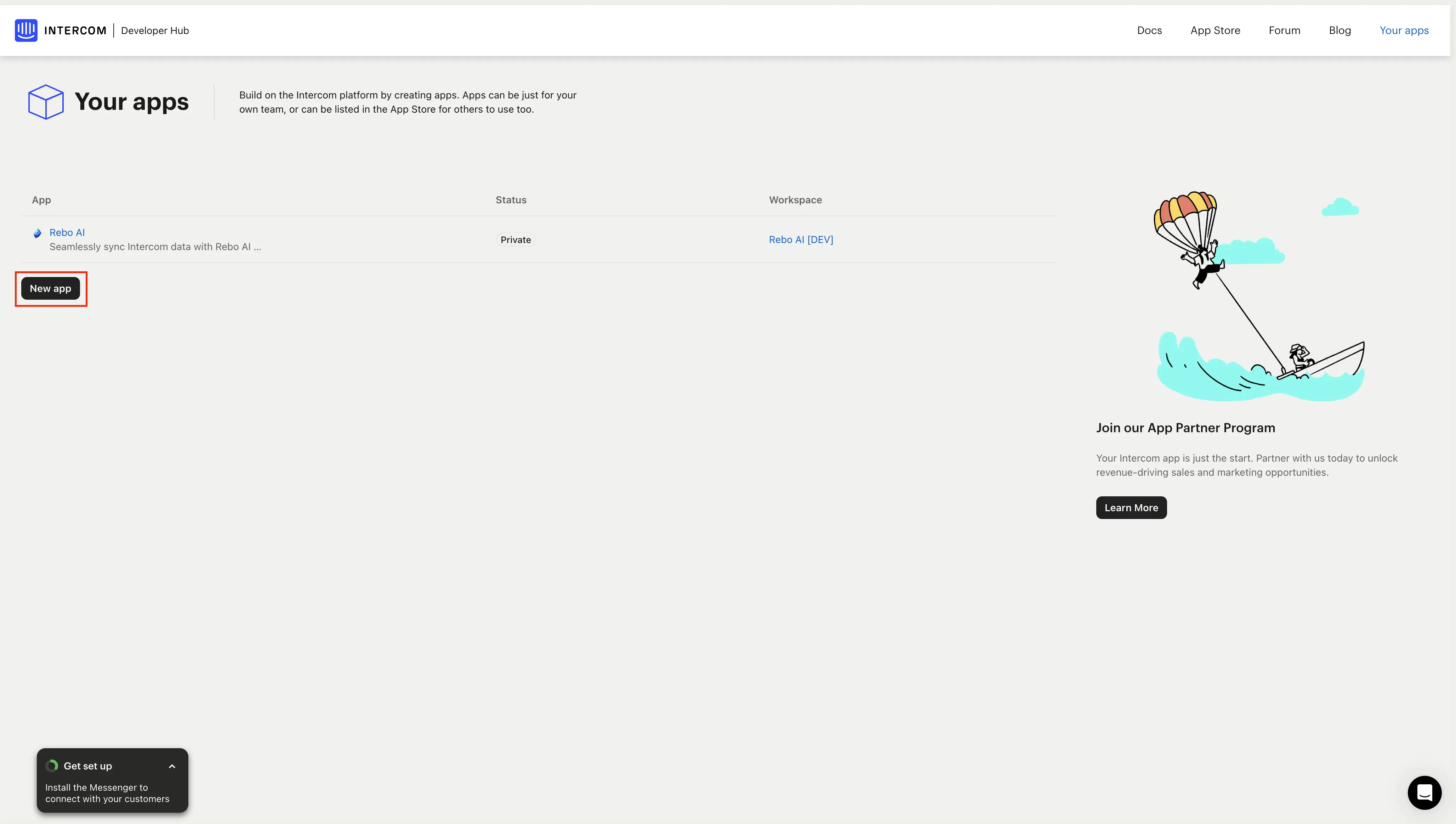
4. Create a New App
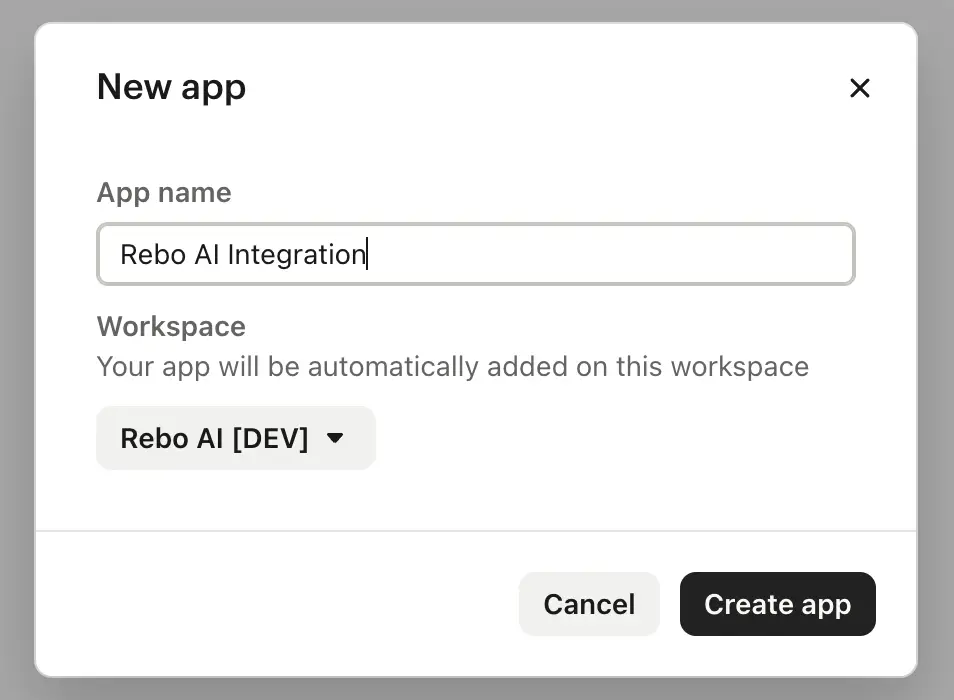
Click the Create App button. Example: Name your app “Rebo AI Integration”.
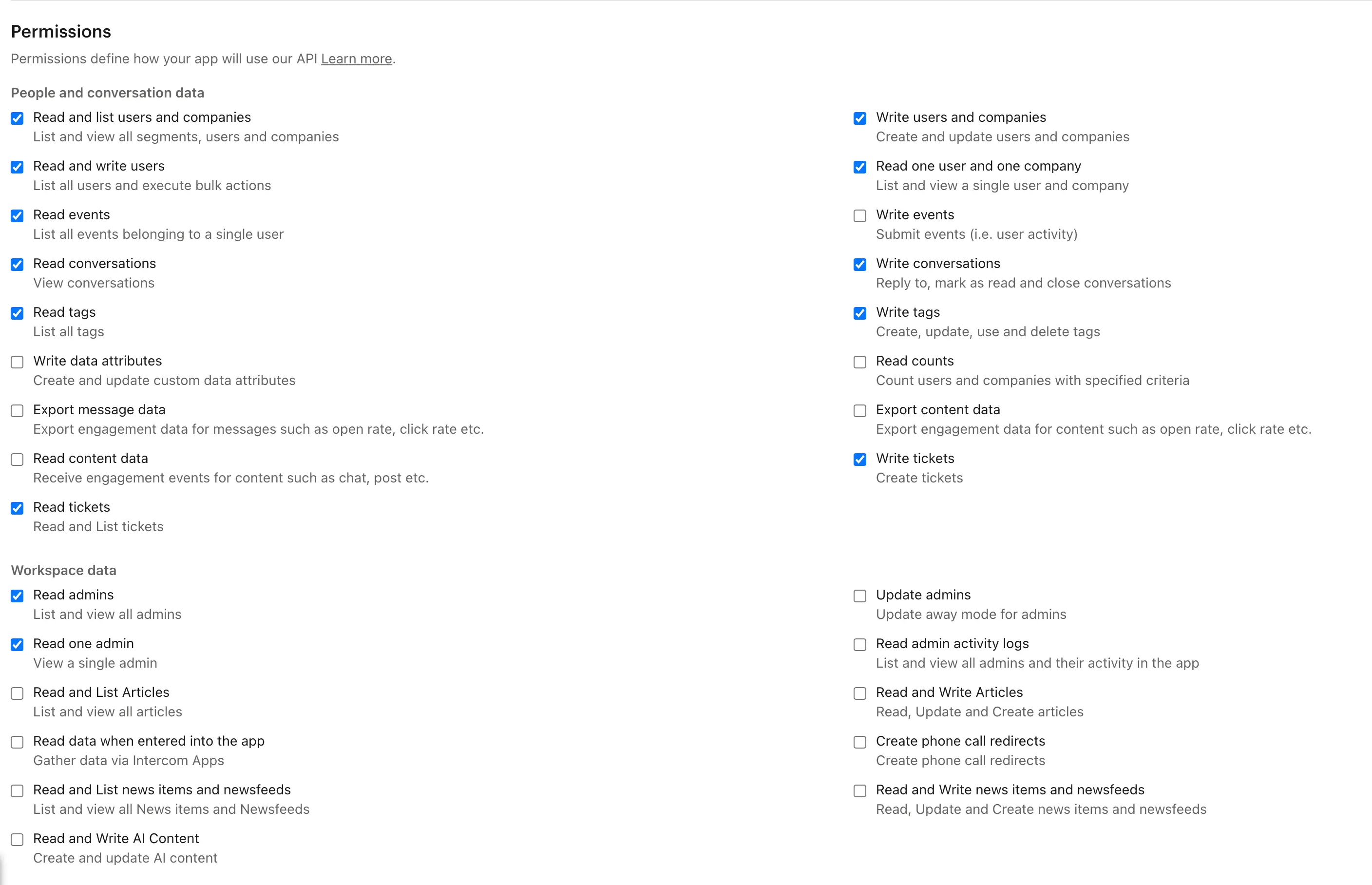
5. Change Permissions
Select "Edit", adjust the permissions to include only those that are necessary, and then click "Save" to apply the changes.
6. Copy the Access Token
Once the app is created, locate the Access Token and copy it.
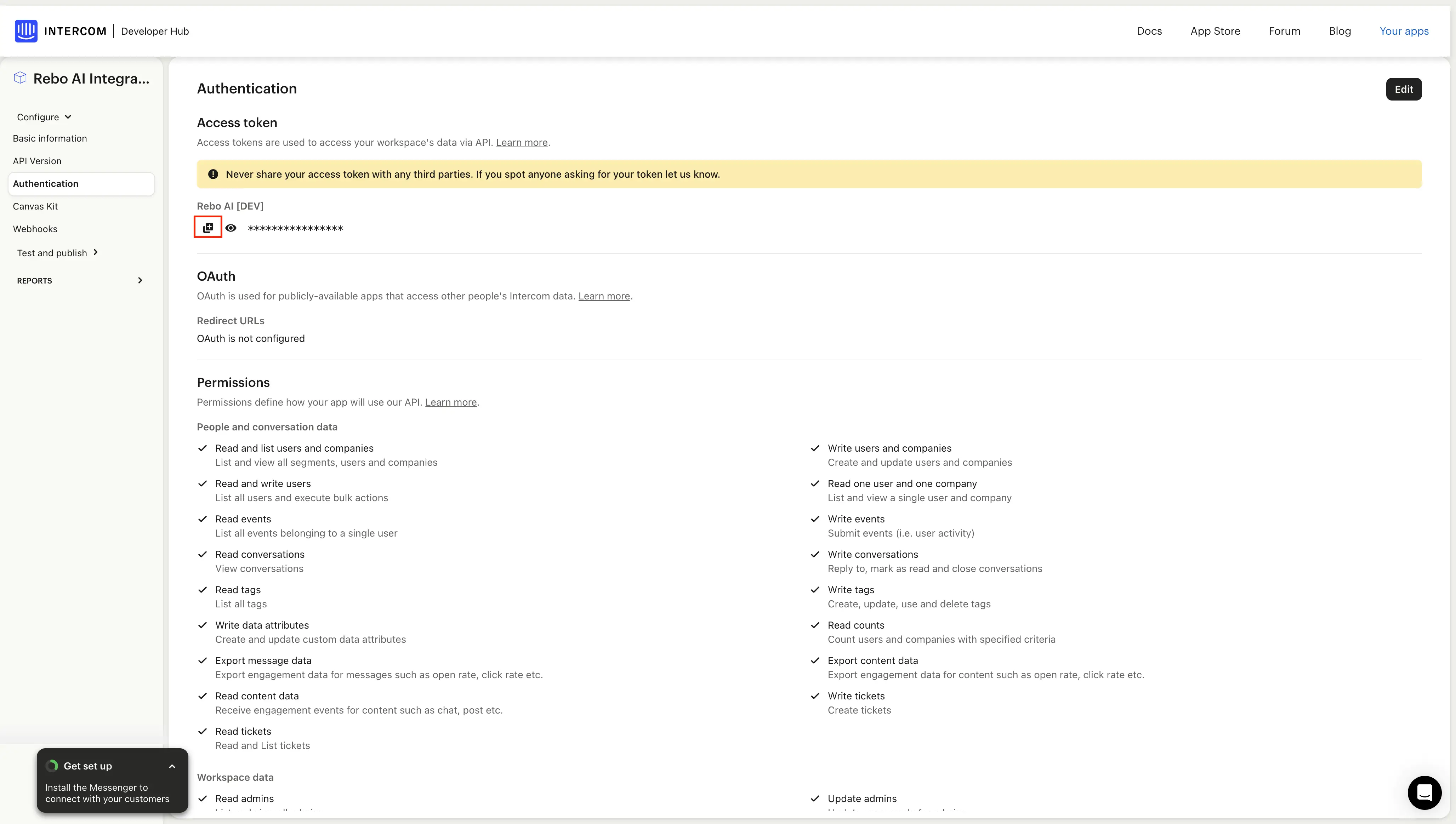
7. Paste the Token on the Integration Page
Return to the Rebo AI integration page:
- Paste the copied token into the designated field.
- Click Submit.
🎉 Voila!
Your Intercom account is now successfully connected to Rebo AI. We will take care of the backfill and let you know when it is done!