Apple App Store
Overview
Linking your Apple App Store Connect account to Rebo AI enables you to:
- Respond to iOS reviews directly.
- Access the full history of reviews and responses for your iOS applications.
Follow this guide carefully to ensure the connection between your App Store Connect and Rebo AI accounts is secure. Our integration utilizes minimal permissions to maintain maximum data security.
Important: You must be the account holder or an administrator in App Store Connect to complete this process.
Step 1: Sign In as an Administrator
- Go to App Store Connect.
- Log in using an account with administrative privileges.
Step 2: Navigate to "Users and Access"
-
From the dashboard, select Users and Access.
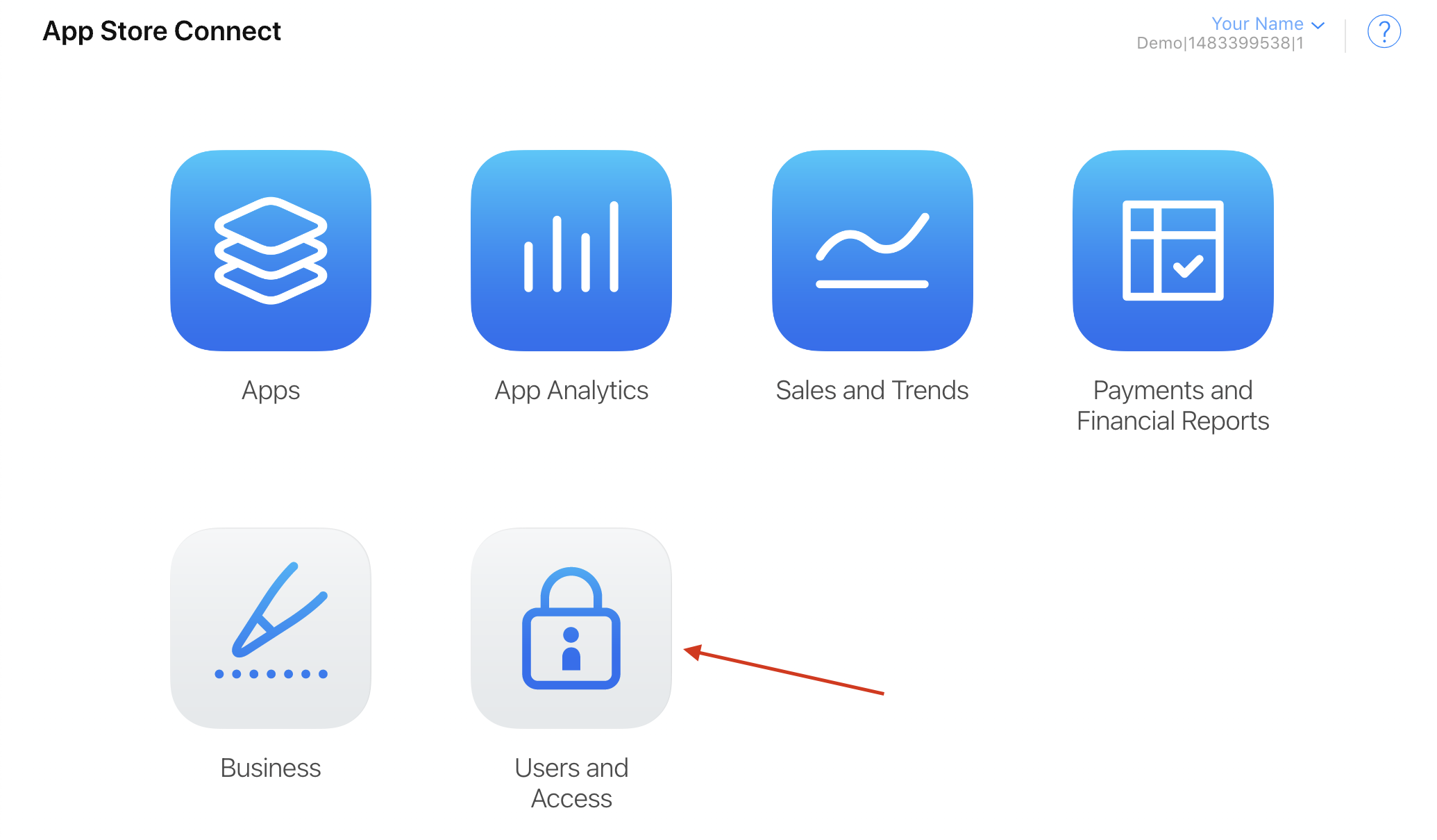
If you do not see this option, you may not have the required permissions. Contact your App Store Connect administrator for assistance.
Step 3: Add a New User
- Click the + button above the list of current user accounts.
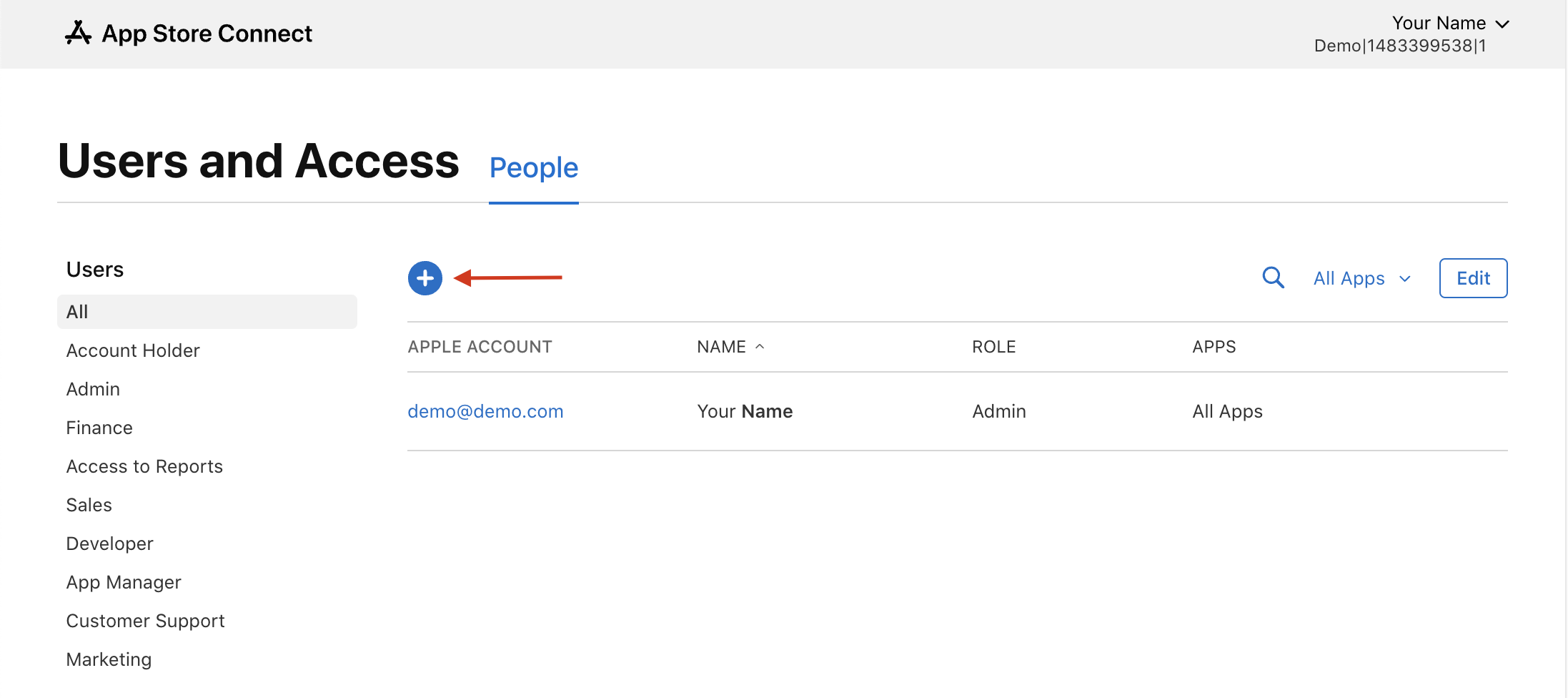
Step 4: Fill Out the "New User" Form
-
Open the Rebo AI Integrations page to get your single-use email address:
- Find the App Store Connect card and click Configure.
- Copy the Email Address shown in the panel. This generated email address is for Single Use only.
-
Switch back to App Store Connect and enter the following:
- First Name and Last Name: Enter "Rebo" and "AI" respectively.
- Email Address: Paste the email address you copied from the Integrations.
-
Set Roles to Customer Support (and no other roles) and click Next.
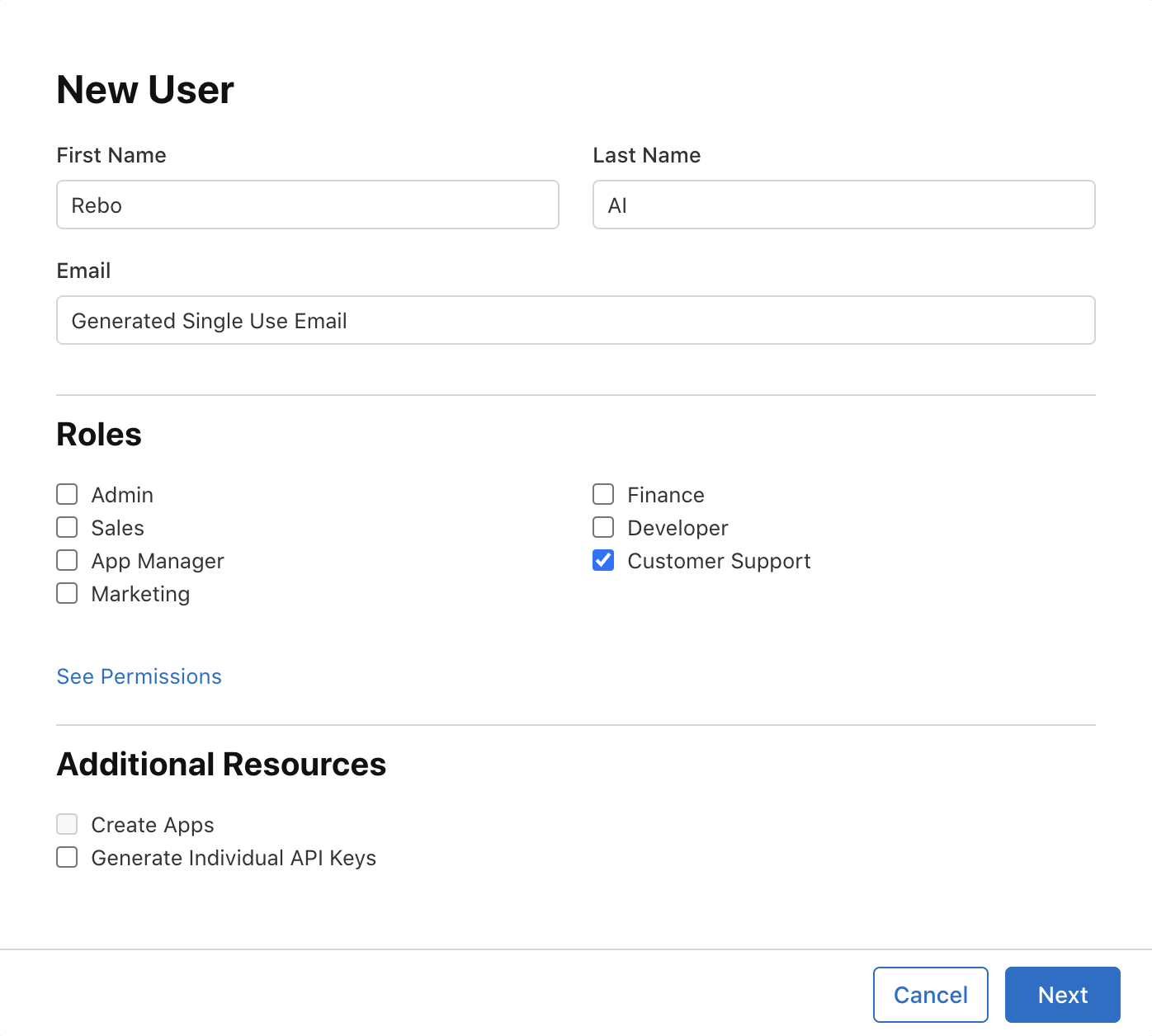
-
Select All Apps.
-
Click Invite.
Step 5: Verify Connection in Rebo AI
- Wait 24 hours for the connection to propagate.
- Log in to Rebo AI and navigate to the Integrations page.
- Confirm the App Store Connect account is listed as a connected account.
Step 6: Start Responding to Reviews
- Go to the Respond page in your Rebo AI dashboard.
- Filter your view to show iOS app reviews that need responses.
- Use our powerful AI to generate and bulk approve responses to multiple reviews at once - Congratulations, you're now a review response pro! 🎉
Troubleshooting
Having issues? Click here to email our support team and we'll help you get connected.